Most service businesses are stuck tracking cash in spreadsheets. Here’s why I decided to fix that, and what I learned at the checkout line that sparked the idea.
Many years ago, when Forever Dental was a single office, cash tracking was simple: a drawer, a spreadsheet, and a daily audit. The owner was in the office most days. Easy.
Then they grew. More locations, more staff turnover, more hands in the cash box and spreadsheet. Formulas broke. Data got entered wrong. Reconciling revenue became a weekly headache instead of a five-minute task. The system that worked for one office was quietly falling apart with three offices.
I’d been thinking about this problem for a while when a mundane moment turned into a lightbulb.
The grocery store moment that started everything
Last year, I was at the grocery store and got to the checkout just as a shift change was starting. I had to wait while the cashier counted out the drawer — bill by bill, coin by coin — then handed it off. The new cashier arrived with a fresh, pre-counted drawer and counted it out again before taking over.
It was a small thing, but it stuck with me. This is what real treasury controls look like at the front line. Blind counting. Shift-level accountability. An auditable handoff. Banks do this. Retailers do this. Why don’t most service businesses?
The answer, I realized, is that the tools haven’t been built for them. Most point-of-sale systems are designed for retail, with a focus on inventory, SKUs, and product catalogs. That’s overkill for a dental office that just needs to open a drawer, record a few payments, and close out at the end of the day.
So I built something simpler.
What I built: RevenueRegister
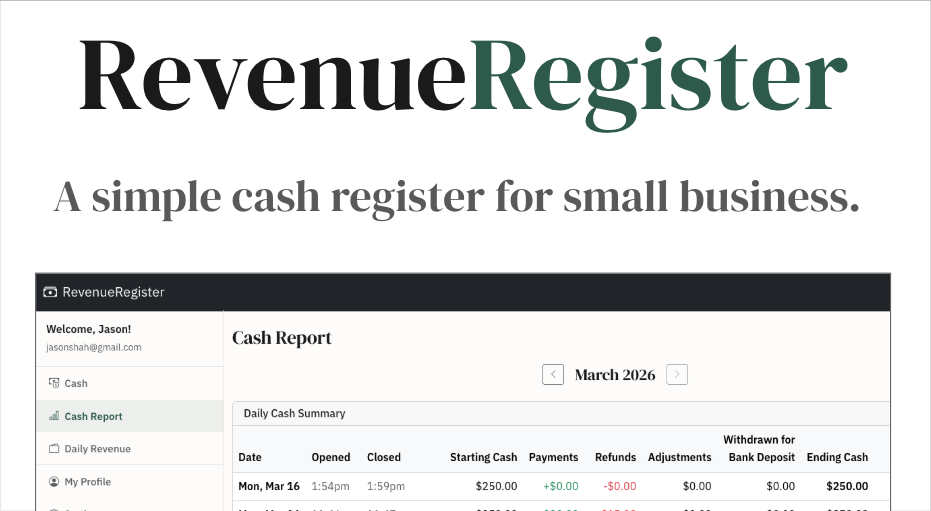
RevenueRegister.com is a cash management tool for service businesses: dental offices, auto shops, salons, and anyone else who handles cash, cards, and checks without needing a full POS system.
The core idea is borrowed directly from what I watched at that grocery store: you open a drawer session, record payments by type (cash, card, or check) throughout the day, and reconcile when you close. No spreadsheets. No broken formulas. No guessing.
Daily revenue tracking lets you log and audit revenue by category. So when someone asks “what did we bring in last Tuesday, and how much of it was cash?”, you have a real answer in seconds.
Built for teams managing multiple locations
One early focus point: this had to work for teams, not just solo operators. You can invite staff, assign roles, and manage multiple locations from a single account. Admins can switch between locations freely; staff are scoped to theirs. Everything is tracked per-location so reports stay clean and auditable.
Who it’s for
If you run a service business and you’re still tracking daily revenue in a spreadsheet, or you’ve grown to multiple locations and the spreadsheet is starting to crack, Revenue Register was built for you. It’s not trying to be a full accounting system or a retail POS. It’s the focused tool that sits between “I have cash in a drawer” and “I know exactly what came in today and who handled it.”
There’s a 14-day free trial, and onboarding takes just a few minutes. Try RevenueRegister for free today.