We stopped using Henry Schein / Dentrix eServices this past year. But we never touched the servers to specifically make any changes after doing so.
Recently, one of our Office Managers reached out to me to complain about the entire system lagging, across most of the machines on the network. I logged into the server and was immediately shown the legacy eSync window. I’ve always ignored this window, because while we used eSync in the past, I just assumed that leaving it running would do no harm.
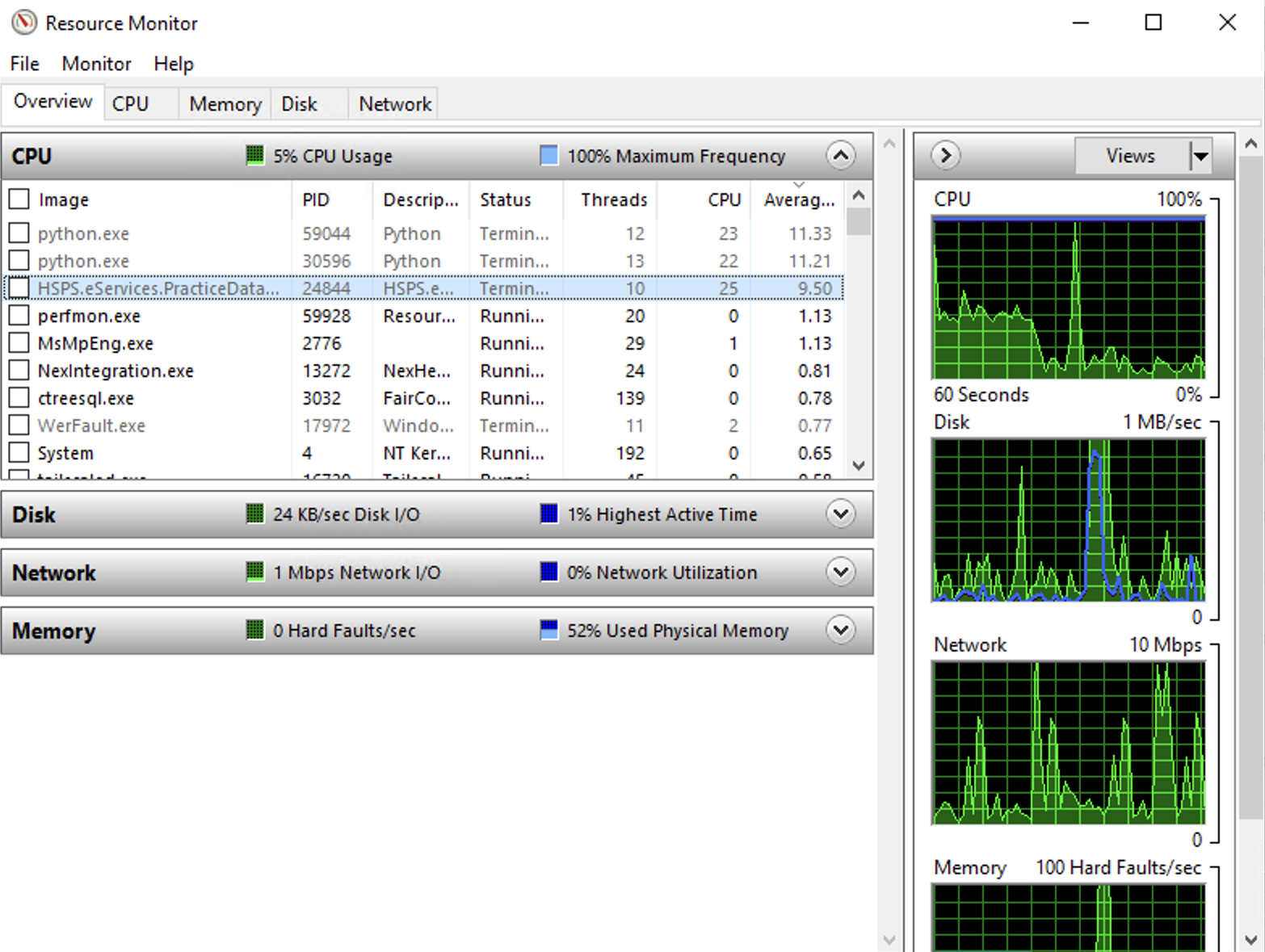
I tried my hand at some LLM-driven diagnosis. It suggested to run Resource Monitor (Start > Run > resmon), then sort by Average CPU descending.
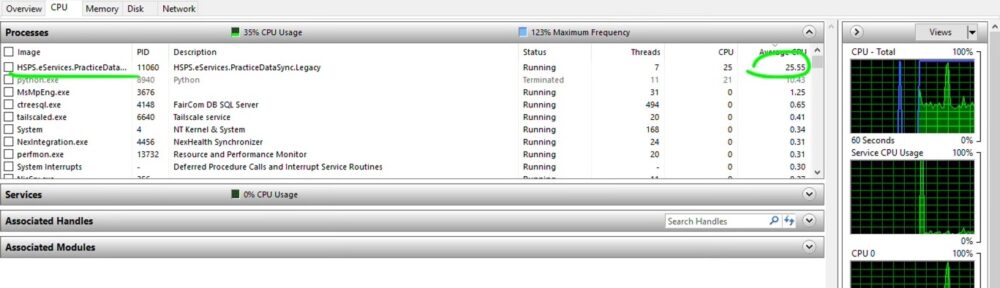
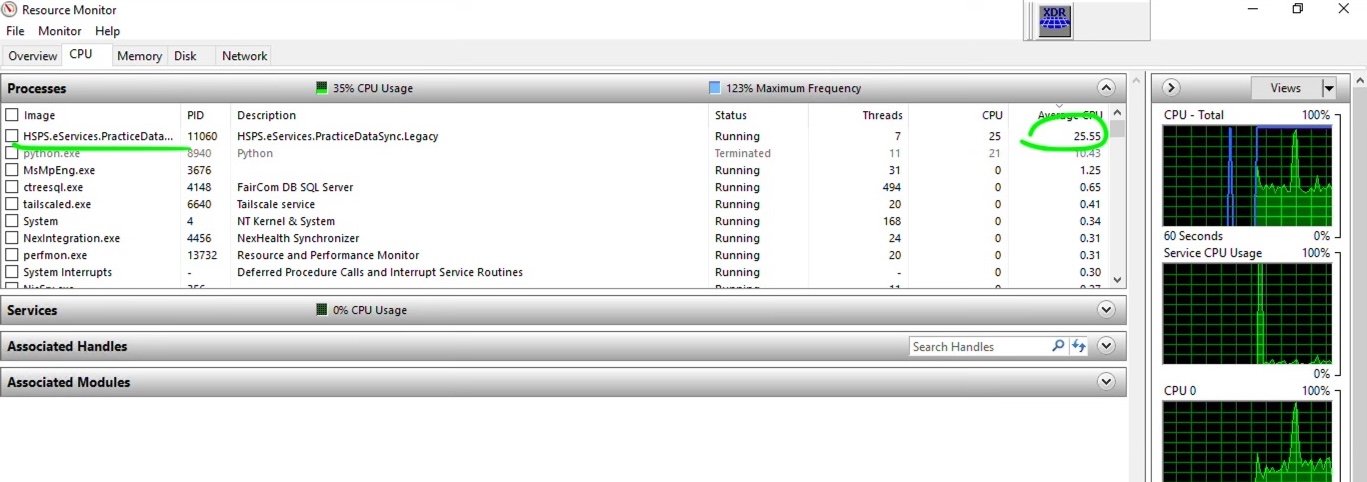
Low and behold: Henry Schein Practice Data Sync was consuming 25% of the CPU.
Trying to confirm what this app is for is an exercise in frustration. All the links online that talk about it refer back to marketing pages. Nothing technical exists that I could find.
So, I took the Wild West approach: I just stopped the service and emailed the team with an “I’m making changes, something may break” email.
To stop the service, I went to Windows > services. I found Practice Data Sync:
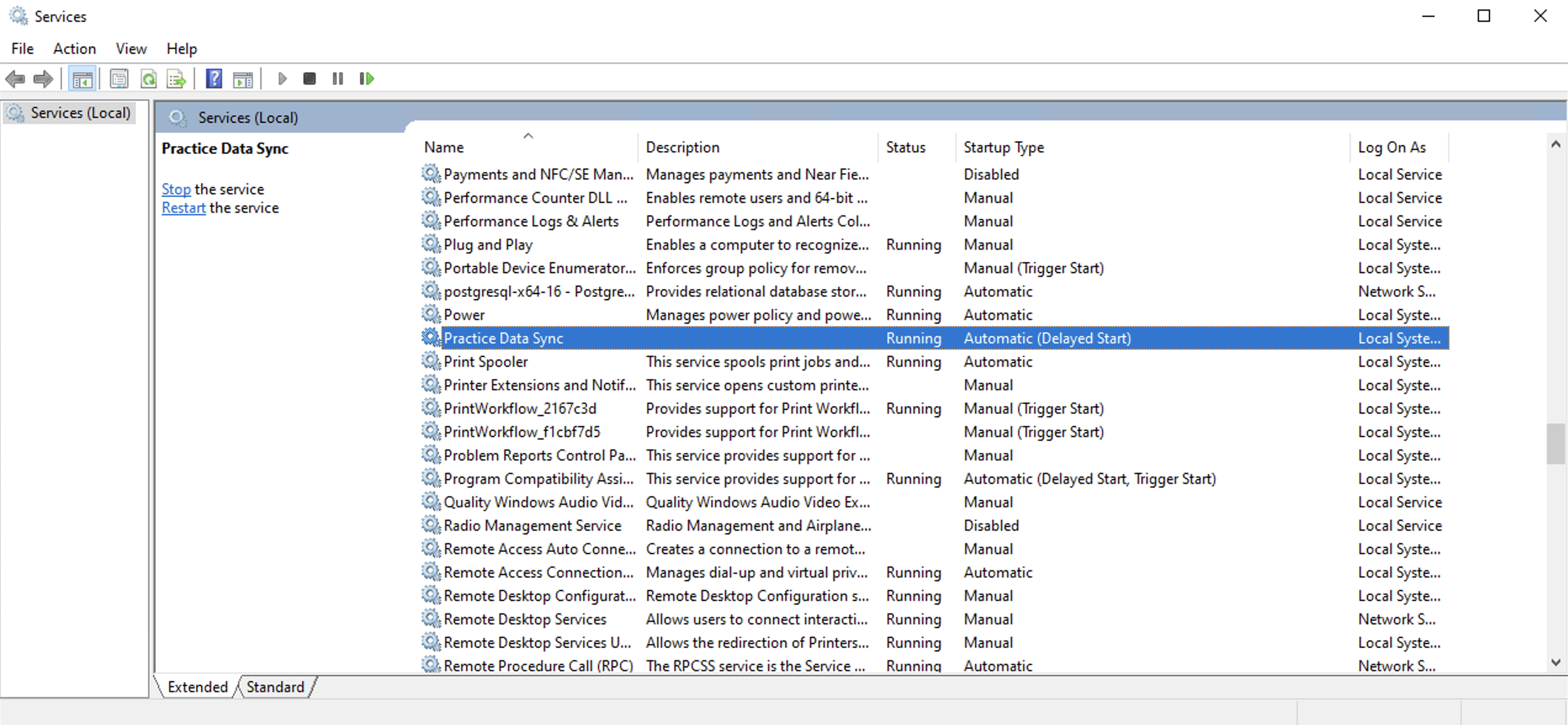
Double clicked it, and tapped on Stop:
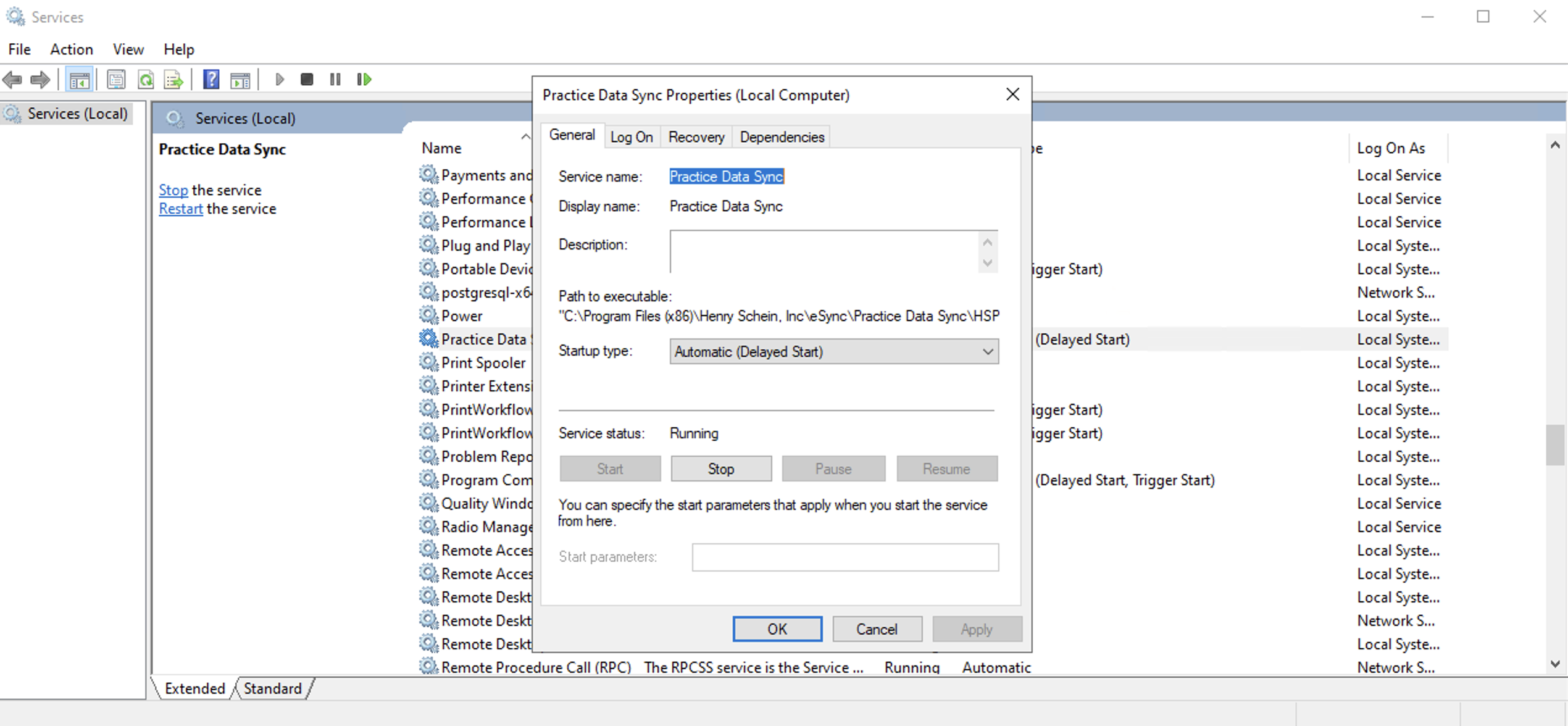
Immediately, CPU usage went down.
Next step: if the team sees no issues, I’m going to not just stop Practice Data Sync, but stop the service from running startup and stop eSync from starting on boot, and if I can figure out how, uninstall the application entirely.
Programming note: If you need to convert Dentrix PDF reports to Excel, Google Sheets, or CSV, try Dentrix Report Converter. This is a simple service I’ve built to automate this. It is excellent for practice owners, office managers, accountants, attorneys, consultants, and anyone else who needs to quickly extract important information out of Dentrix. Dentrix holds your data hostage. Dentrix Report Converter unlocks it. Currently only $49.99 for 30 days of access, and your results are guaranteed. Thanks!
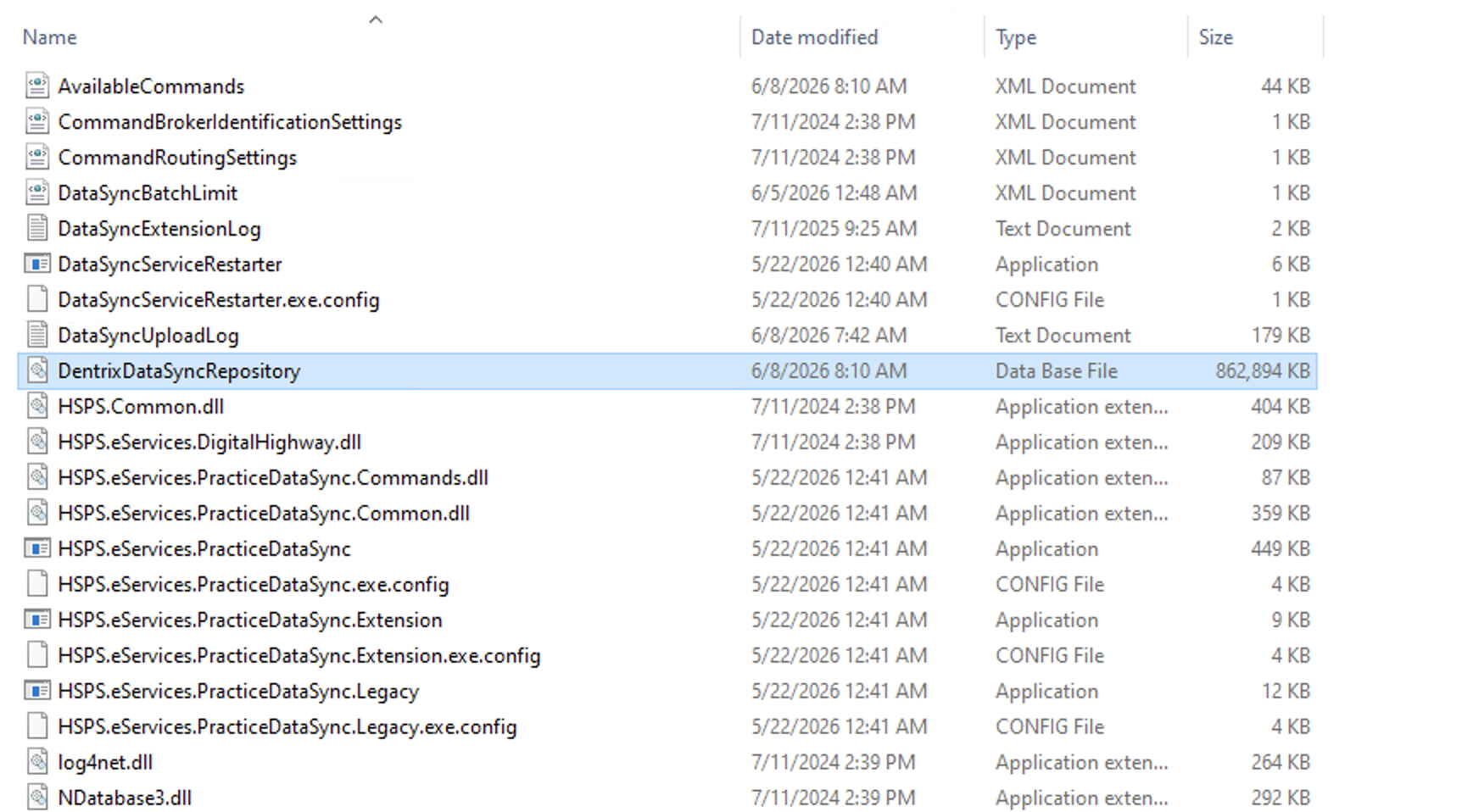
Aside: I went to C:\Program Files (x86)\Henry Schein, Inc\eSync\Practice Data Sync, and look at that, there’s a >800MB file that represents the database sitting there.
Hello Jason,
The dental office I’m supporting has been having the same issue. CPU usage is maxed out at 100% and it’s sluggish for all dozen users. They don’t have the fasted server either, so that doesn’t help. The server they are running is a PowerEdge T150 with Intel(R) Xeon(R) E-2314 CPU @ 2.80GHz with 16GB RAM and spinning SATA HDDs. It seems to only meet the bare minimum Dentrix hardware requirement. But it had been fine for the last couple of years.
Can you tell me a little about the hardware you are running Dentrix on? So I can find a common denominator.
One is a PowerEdge T140 with Windows Server 2019 and SATA HDD. The other is a PowerEdge T150 with Windows Server 2022 and SATA HDD also. Both have 16GB of RAM.
Dear Jason,
thanks for the quick reply. I guess the T150 are the common factors. Has the solution you tried in this article resolved the issue for the time being? I thinking about trying it too, but I don’t know whether some services are dependent on this service. When I called Dentrix, all they did was issue the command “FDDUpdate /reset”, which didn’t resolve the issue. Have you had any luck?
Yes, I’ve disabled it at 2 locations now, and no staff member complained. We don’t use eServices at all though; YMMV.
Jason, have you considered upgrading the SATA HDDs with SATA SSD HDDs on your 2 servers? I am wondering if it’ll drasctically improve the performance and maybe even eliminate the 100% CPU utilization issue.
I have considered it, and we will do so for our next servers.
Migrating servers is a high risk, all-day affair, so I’m hesitant to do so until it’s really time to do so.
You know, I called Dentrix tech support and they said we are not using the esync services. However, it’ll affect the syncing process when we add a new provider. I don’t fully understand it, but that’s what they told me. I don’t understand why websync couldn’t suffice.
I did stop the Practice Data Sync service since it was making it impossible for everyone in the dental office to work. I’m wondering if I should schedule this service to run once a day in the evening or maybe during lunch time, just to cover the times when they do add a provider. I wonder if you’ve had any issues or any thoughts on this.
At this point, we need to upgrade the server to a dual Xeon with 16 cores and bunch of SSD’s. Unfortunately, due to AI and the mega data center builds, prices of the SSD’s have skyrocketed. And my dentist is not ready to drop 50k for a server. I don’t blame him. Any thoughts?
We have been operating without this sync service running without any issues for 3 weeks now. But, we haven’t added a provider in that time; we are about to do so now, so I will write back on this blog post we experience any issues.
$50K for a server! Our largest office has 6 chairs and a dozen computers, and operates with a Dell PowerEdge T140 that was $1400 in 2020. While I don’t know your load profile, $50K feels like way way overkill.
Yes, please post about what occurs when you add a new provider.
I basically looked for a server that has 8 cores or more which beats the current CPU of 4 cores. Where it gets expensive is the SSDs. An 8TB enterprise SSD can go for $12000 USD, each! If I want mirroring for RAID, that is $24k. And another 500GB SSD pair for the OSes, can be like $5k more. Dentrix does recommend SSD or NVMe.
We have 9 chairs, and 8 additional users. We use Vatech for CT and that takes up 1.5 TB of data from the last 3 to 4 years.
We added a new provider a week ago. No issues so far.
We don’t go with RAID, just a single drive under the 3-2-1 backup strategy.
Hi Jason,
Have you upgraded to 26.19 yet? About a month ago I upgraded all the Windows 10 workstations to Windows 11. Finally, this past weekend I was able to upgrade the server and all the workstations to the latest Dentrix version 26.19.x.x. Anyhow, this morning, they are reporting that all the workstations are running slow. I checked the server and the server is running fine. Couple of the users have restarted their computers, and says, it’s a little better. I read some articles saying that some services have to be disabled from running on the local computers and that DDX and other software gets installed automatically from the update. What was your experience like?
I find that we are upgrading workstations around every 5-7 years, and sometimes even upgrading RAM in between those upgrade cycles. So it could just be slow workstations.
It really is a never-ending battle with respect to speed and Dentrix. There is so much bloat.